If you run a photo studio with more than one room, you already know the special kind of chaos that arrives around 10 a.m. on a Tuesday. One client is setting up in Room A while another wanders into the wrong space. Your phone buzzes with a text asking if the natural light room is available Thursday. Meanwhile, you are hunched over a Shopify admin panel trying to figure out why someone just added your cyclorama wall to their shopping cart. If you have been searching for reliable photo studio booking software that does not require a computer science degree or a line of credit, you have probably noticed the same thing we have: most affordable booking app options treat multi-room studios like an afterthought. Slotted does not. It was built for this exact circus, and it handles the juggling so you can get back to the actual work.
Table of Contents
- Why Your Current Setup (Shopify + Plug-ins) Is a Comedy of Errors
- The 3 Pillars of Multi-Room Studio Management (That Slotted Nails)
- Why "Affordable Booking App" Doesn't Mean "Cheap" (A Pricing Reality Check)
- How to Set Up Your Multi-Room Studio in Slotted (A 3-Step Witty Walkthrough)
- What About the "Big Guys"? (A Quick Look at the SERP Competition)
- Future-Proofing Your Studio for 2026 (And Beyond)
- Ready to Stop the Madness?
The problem is not that you lack options. The problem is that the options you have been handed were never designed for what you actually do. A photographer renting out three distinct spaces with different lighting, different pricing, and different availability is not running an e-commerce store. You are running a logistics hub with creative aspirations. The software should reflect that. Instead, too many studio owners have been talked into cobbling together a Shopify site with a handful of plug-ins, crossing their fingers that nothing breaks before the next booking. That approach is not just clunky. It is expensive, error-prone, and quietly eroding the professional experience your clients expect when they walk through the door.
Why Your Current Setup (Shopify + Plug-ins) Is a Comedy of Errors
Shopify is brilliant at what it does. Selling T-shirts, candles, and enamel pins is its happy place. Renting physical rooms by the hour with distinct attributes, buffer times, and staff assignments is not. Yet somewhere along the way, studio owners got convinced that slapping a booking plug-in onto a Shopify storefront was a reasonable solution. It is not. It is digital duct tape, and it eventually peels off.
The first problem is what we call plug-in spaghetti. To make Shopify behave like actual booking software, you need a calendar plug-in, a payment deposit plug-in, a resource allocation plug-in, and probably something to handle automated reminders. Each of these tools was built by a different developer with a different design philosophy. They do not share data natively. They update on different schedules. One day a plug-in pushes an update that breaks the calendar integration, and suddenly your Tuesday morning client receives a confirmation email for a session that does not exist. You do not find out until they show up, confused, while another photographer is already setting up lights in their slot.
Then there is the double-booking nightmare. Shopify does not natively understand the concept of Room A versus Room B. It understands products and variants. So you end up creating each room as a product, or worse, as a variant of a product, and hoping the booking plug-in can interpret that correctly. Sometimes it can. Often it cannot. The result is two clients booked into the same room at the same time, both holding confirmation emails, both looking at you like you ruined their shoot. You become a referee instead of a studio owner. That is not what you signed up for.

The hidden costs deserve their own paragraph of frustration. A Shopify subscription, plus three or four plug-ins with monthly fees, plus the payment processing markup, and you are easily north of seventy-nine dollars a month. That is before you factor in the time you spend manually resolving conflicts, answering availability emails, and untangling the booking mess. Time is the one resource you cannot restock. Slotted takes a different approach: flat, transparent pricing that covers the features you actually need, without the plug-in scavenger hunt. You pay for a tool that works, not a platform you have to trick into working.
The user experience gap is the final insult. Your clients do not want to add a studio room to their cart and proceed to checkout. They are not buying a lamp. They want to see a calendar, pick an open slot, and know instantly what they are getting and what it costs. Slotted is built around that visual, calendar-first experience. The client sees the room, the available times, the price, and books it. No cart icon. No checkout flow that asks for a shipping address. Just a booking page that makes sense for the thing being booked.
The "Mini Session" Mess (And How Slotted Fixes It)
Mini sessions are a studio staple: fifteen-minute headshot blocks, holiday portrait marathons, quick branding sessions that pack a day with back-to-back bookings. Some competitors, notably Pixieset, offer a dedicated Mini Session Creator, but it is often locked behind higher-tier plans that add cost for a feature you might use four times a year. Slotted handles mini sessions without a separate module. You create the time blocks, set the price per room, and open the floodgates. The real advantage is room-specific pricing for the same event. Your white cyclorama room might command a premium during mini session days, while the natural light room books at a different rate. Slotted lets you set those prices independently, so you are not leaving money on the table just because your software cannot tell the rooms apart.
The 3 Pillars of Multi-Room Studio Management (That Slotted Nails)
Managing multiple rooms is not just a scaled-up version of managing one. It is a fundamentally different challenge with its own logic, its own failure points, and its own opportunities. Three pillars hold the whole thing up, and if your software wobbles on any of them, the cracks show fast.
Pillar one is room-specific calendars and availability. Different rooms have different lives. Room A might be a 24-hour access space for monthly renters who have their own key codes and prefer to shoot at midnight. Room B might be staffed from nine to five and unavailable after hours. Room C might be closed every Thursday for deep cleaning or reserved for a long-term client every Monday morning. If your booking system treats all rooms as interchangeable, you are constantly manually blocking time, sending correction emails, and apologizing. Slotted lets you set availability per room, per day, down to the hour. You block maintenance windows, private events, or staff breaks for individual rooms without affecting the others. Clients browsing your booking page only see the slots that are actually open for the room they want. No confusion, no overlap, no apologizing.
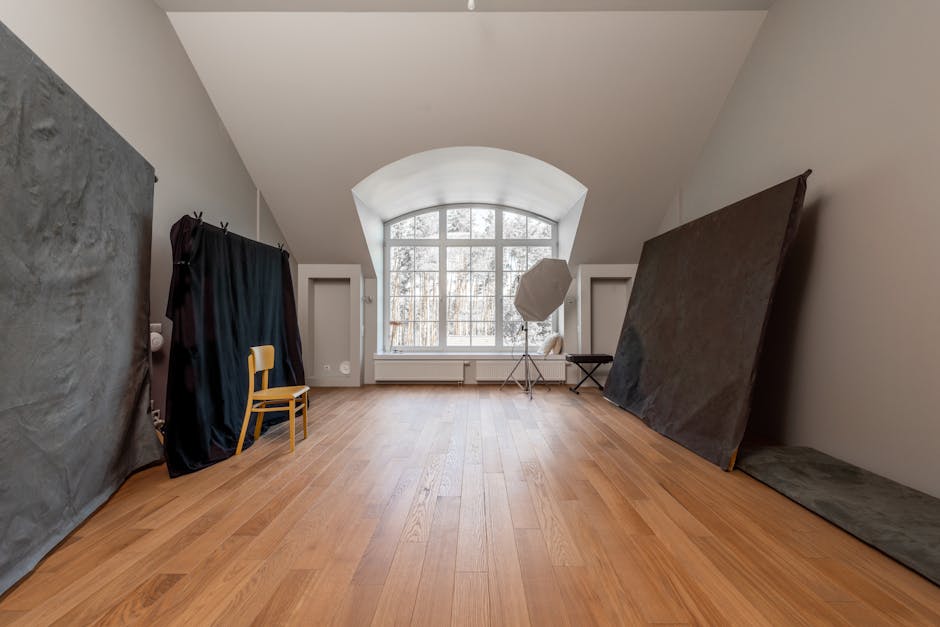
Pillar two is payment splits and deposit logic. Multi-room studios rarely charge a flat rate across the board. Room A might be fifty dollars an hour. Room B might be seventy-five. Room C might offer half-day and full-day rates that discount the hourly price. On top of that, you might require a twenty-five percent deposit for some rooms and full payment upfront for others. Manually calculating those variables on invoices is a recipe for errors and awkward conversations. Slotted handles deposits, retainers, and full payments at the room level. You set the rules once, and the system applies them automatically. The client sees the correct price for the room they selected, pays the correct amount, and you never have to send an email that begins with "Actually, the rate for that room is..."
Pillar three is staff and resource allocation. If your studio employs assistants, lighting techs, or a cleaning crew, their time is as finite as your rooms. A client booking Room A might also need an assistant. Another client in Room B might need the same assistant at the same time. Without a system that connects staff to specific room bookings, you end up double-booking your people just as easily as your spaces. Slotted lets you assign staff and resources to specific room reservations, so availability conflicts surface before they become real-world problems. Your assistant is not a magician who can be in two rooms at once. Your software should know that.
Why "Affordable Booking App" Doesn't Mean "Cheap" (A Pricing Reality Check)
The phrase affordable booking app gets thrown around a lot, usually by companies offering a free plan that sounds generous until you read the fine print. Appointy and Setmore both offer free tiers, and they are perfectly functional for a solo photographer with one room and straightforward scheduling needs. The moment you add a second room, a third staff member, or any complexity at all, the free plan stops being free. You upgrade, or you compromise. The features you actually need are gated behind paid tiers, and the pricing is not always obvious from the marketing pages. That opacity is a gap in the market that Slotted addresses directly.
Slotted is the affordable booking app that scales with you, not the one that baits you with free and then charges for essentials. You pay for clarity: clear calendars, clear room distinctions, clear payment handling. You do not pay for a bloated feature set designed for a different industry. The comparison to the Shopify-plus-plug-ins approach is instructive. A basic Shopify plan with three plug-ins to approximate what Slotted does natively runs around seventy-nine dollars a month or more, and you still have to manage the integrations yourself. Slotted costs less than that and eliminates the setup headaches entirely. The pricing philosophy is straightforward: you know what you pay, you know what you get, and you do not discover halfway through the year that a critical feature requires an upgrade you did not budget for.
How to Set Up Your Multi-Room Studio in Slotted (A 3-Step Witty Walkthrough)
Setting up a multi-room studio in Slotted takes about as long as a good cup of coffee. The interface does not assume you enjoy configuring software. It assumes you have better things to do, like actually shooting.
Step one: name your rooms, and get creative with it. Your booking page does not have to read like a hospital directory. Room names like "The Bright Box" for your white cyclorama space or "The Moody Cave" for your dark, textured backdrop room give the booking experience personality. Clients remember names like that. They tell other photographers about them. More practically, each room gets its own URL slug, which means you can send a direct link to a specific room's calendar. A client asking about the natural light space gets a link that takes them straight there, not to a generic page where they have to navigate a dropdown menu. That is good for client experience and good for SEO.
Step two: set the rules of engagement. Buffer times between bookings are not a luxury in a multi-room studio. They are essential. Without buffers, your 10 a.m. client in Room A is packing up while your 11 a.m. client is trying to set up, and both of them are navigating the same hallway at the same time. Slotted lets you set buffer periods per room, and the system enforces them automatically. You do not have to remember to block fifteen minutes between sessions. The calendar simply does not offer slots that would create a collision. You set the rule once, and the software becomes the bad guy instead of you.
Step three: let clients self-serve. This is the part where your phone stops buzzing. Clients visit your booking page, pick a room, see the available times and the price, and book. They pay the deposit or the full amount. They receive an automated confirmation and, later, a reminder. You receive a notification and can get on with your day. No phone tag, no email chains that stretch across three days to confirm a single one-hour slot. For the busy studio owner, this is the set-it-and-forget-it dream. The system handles the logistics while you handle the creative direction, the lighting, and the actual reason you opened a studio in the first place.
What About the "Big Guys"? (A Quick Look at the SERP Competition)
The search results for photo studio booking software are crowded with names that sound competent but were built for different problems. Pixieset is a strong platform for photographers who need gallery delivery and client proofing, and its Mini Sessions feature is genuinely useful. But for straightforward room rental across multiple spaces, it is overkill wrapped in a higher price tag. You are paying for gallery features you might never use just to get the scheduling tools you need.
Setmore is a solid booking tool with a loyal user base and impressive review scores. It handles single-location scheduling well. Multi-room management, however, feels bolted on rather than built in. The workflow for distinguishing between spaces is not as intuitive as it should be for a studio with three or four distinct rooms.
Appointy packs a lot of power under the hood, including intelligent client grouping that lets you tag VIPs and frequent bookers. That is genuinely useful CRM functionality. The trade-off is an interface that looks like it was designed in 2015 and has not been meaningfully refreshed since. In a world where your clients judge your professionalism by the booking page you send them, aesthetics matter. Slotted is modern, clean, and mobile-first because your clients are booking from their phones.
SimplyBook.me offers a client-branded app, which is a neat differentiator. Clients can download an app with your studio's branding and book through it. The feature adds complexity, though, both for you and for your clients, who may not want another app on their phone just to reserve a studio room. Slotted keeps it simple: a link, a calendar, a booking. No app download required.
The Reddit threads on this topic frequently recommend Dubsado and Honeybook, and those are excellent tools for what they do. They are client management systems built for photographers who need contracts, invoices, and workflow automation. They are not room management systems. They do not handle room-specific calendars, buffer times between spaces, or the logistics of a multi-room facility. Slotted fills that gap. It does not try to replace your CRM. It handles the part of your business that happens inside the studio walls.
Future-Proofing Your Studio for 2026 (And Beyond)
The studio rental market is shifting. More owners are moving toward unstaffed or hybrid models where clients book online, pay upfront, and receive an access code that lets them enter the space without anyone needing to be there. Smart locks and access control systems are becoming standard, not experimental. The software that manages your bookings needs to play nicely with that reality. Slotted is built with an eye toward integrations that make unstaffed access seamless: a client books, a code is generated, and they walk in at their scheduled time without you lifting a finger. Do not buy software that solves today's problem but creates tomorrow's headache. The tools you choose now should be able to grow into the studio model you want three years from now.
Ready to Stop the Madness?
Running a multi-room photo studio should feel like running a creative playground, not a software puzzle you have to solve every morning before your first client arrives. The Shopify-plus-plug-ins approach was always a workaround, and workarounds have expiration dates. Slotted replaces the spaghetti with a system that understands what you actually do: manage spaces, not products. Your rooms have names, prices, schedules, and personalities. Your booking software should reflect that without demanding a monthly budget that rivals your rent. Your studio is where the art happens. Let Slotted handle the admin while you handle everything else. Start your free trial at Slotted.so and book your first multi-room session in under five minutes.